Overview

Reown AppKit (formerly WalletConnect) is a library for adding wallet connections to your onchain applications. It provides a polished modal interface with support for multiple wallets, email authentication, and social logins. By integrating Reown with Base Account, you can provide users with seamless onboarding through Base’s native smart wallet while maintaining access to other sign in methods.

What you’ll achieve

By the end of this guide, you will:
  • Set up Reown AppKit with Base Account as a featured wallet option
  • Configure the modal to prioritize Base Account in the wallet list
  • Optionally add a custom Coinbase Wallet connector for legacy SDK access
You can jump ahead and use the Base Account Reown Template to get started:
Base Account Reown Templatehttps://github.com/base/demos/tree/master/base-account/base-account-reown

Installation

After creating a new Next.js project, install the required dependencies:
npm install @reown/appkit @reown/appkit-adapter-wagmi wagmi viem @tanstack/react-query

Get Your Reown Project ID

Before you can use Reown AppKit, you need to obtain a project ID from Reown Cloud.
  1. Visit Reown Cloud Dashboard
  2. Sign up for a free account or log in if you already have one
  3. Create a new project and copy the project ID

Configuration

1. Set up Environment Variables

Create a .env.local file in your project root:
.env.local
NEXT_PUBLIC_PROJECT_ID=your_project_id_here

2. Configure the Wagmi Adapter

Create a config file to set up the Wagmi adapter with your networks:
src/config/index.ts
import { WagmiAdapter } from '@reown/appkit-adapter-wagmi'
import { arbitrum, base } from '@reown/appkit/networks'
import type { AppKitNetwork } from '@reown/appkit/networks'

export const projectId = process.env.NEXT_PUBLIC_PROJECT_ID!

if (!projectId) {
  throw new Error('Project ID is not defined')
}

export const networks = [base, arbitrum] as [AppKitNetwork, ...AppKitNetwork[]]

export const wagmiAdapter = new WagmiAdapter({
  ssr: true,
  projectId,
  networks
})

export const config = wagmiAdapter.wagmiConfig

3. Create the AppKit Provider

Create a context provider that initializes AppKit and wraps your application:
src/context/index.tsx
'use client'

import { wagmiAdapter, projectId, networks } from '@/config'
import { QueryClient, QueryClientProvider } from '@tanstack/react-query'
import { createAppKit } from '@reown/appkit/react'
import React, { type ReactNode } from 'react'
import { cookieToInitialState, WagmiProvider, type Config } from 'wagmi'

const queryClient = new QueryClient()

const metadata = {
  name: 'My Base App',
  description: 'My Base Account App',
  url: 'https://myapp.com',
  icons: ['https://myapp.com/icon.png']
}

// Base Account wallet ID
const BASE_ACCOUNT_WALLET_ID = 'fd20dc426fb37566d803205b19bbc1d4096b248ac04548e3cfb6b3a38bd033aa'

export const modal = createAppKit({
  adapters: [wagmiAdapter],
  projectId,
  networks,
  metadata,
  themeMode: 'light',
  features: {
    analytics: true,
    connectMethodsOrder: ['wallet', 'email', 'social'], // Wallets appear first
  },
  themeVariables: {
    '--w3m-accent': '#0052FF', // Base blue
  },
  // Prioritize Base Account wallet
  featuredWalletIds: [BASE_ACCOUNT_WALLET_ID],
  includeWalletIds: [BASE_ACCOUNT_WALLET_ID],
  allWallets: 'SHOW',
  enableWallets: true,
})

function ContextProvider({ children, cookies }: { children: ReactNode; cookies: string | null }) {
  const initialState = cookieToInitialState(wagmiAdapter.wagmiConfig as Config, cookies)

  return (
    <WagmiProvider config={wagmiAdapter.wagmiConfig as Config} initialState={initialState}>
      <QueryClientProvider client={queryClient}>{children}</QueryClientProvider>
    </WagmiProvider>
  )
}

export default ContextProvider

4. Add Provider to Layout

Update your root layout to use the context provider:
src/app/layout.tsx
import type { Metadata } from 'next'
import { headers } from 'next/headers'
import './globals.css'
import ContextProvider from '@/context'

export const metadata: Metadata = {
  title: 'Base Account Reown App',
  description: 'Base Account with Reown AppKit',
}

export default async function RootLayout({
  children,
}: Readonly<{
  children: React.ReactNode
}>) {
  const headersData = await headers()
  const cookies = headersData.get('cookie')

  return (
    <html lang="en">
      <body>
        <ContextProvider cookies={cookies}>{children}</ContextProvider>
      </body>
    </html>
  )
}
To learn more about configuration options for Reown AppKit, please refer to the Reown AppKit documentation.

Usage

Using the AppKit Button

Reown provides a web component for the connect button. Create a component to use it:
src/components/ConnectButton.tsx
'use client'

export default function ConnectButton() {
  return <appkit-button />
}
Then use it in your page:
src/app/page.tsx
import ConnectButton from '@/components/ConnectButton'

export default function Home() {
  return (
    <main className="min-h-screen flex items-center justify-center">
      <ConnectButton />
    </main>
  )
}

Run the project locally

npm run dev
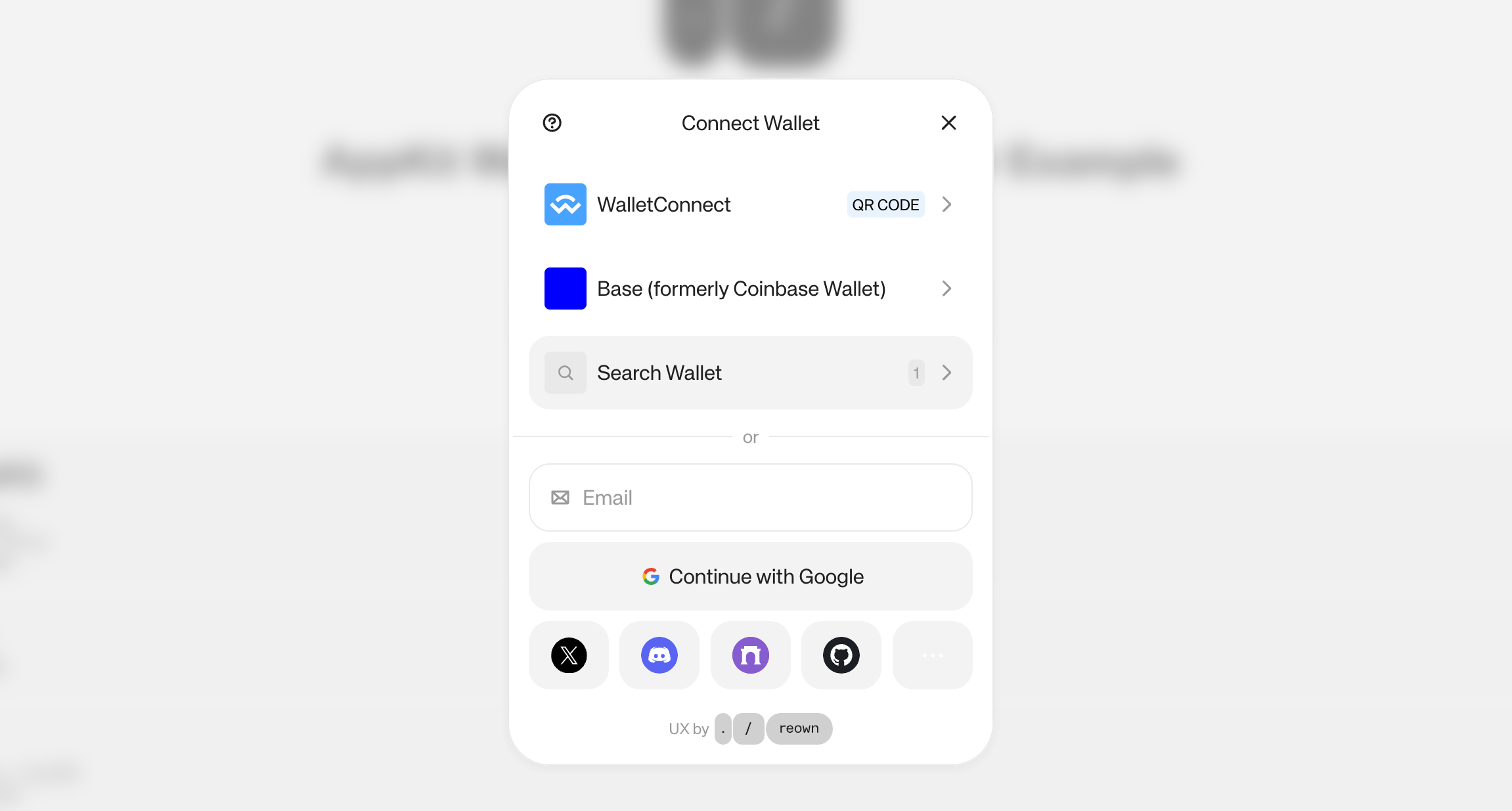
You should see a page with a connect button. Clicking it will open the Reown modal with Base Account as the featured wallet option.
Reown AppKit with Base Account

Adding Coinbase Wallet SDK Connector

If you need access to the legacy Coinbase Wallet SDK (for EOA wallet support), you can add a custom connector alongside Base Account.
Base Account uses the newer Base Account SDK. If your application specifically requires the legacy Coinbase Wallet SDK features, you can add a custom connector as shown below.

Update the Wagmi Adapter

Modify your config to include the Coinbase Wallet connector:
src/config/index.ts
import { WagmiAdapter } from '@reown/appkit-adapter-wagmi'
import { arbitrum, base } from '@reown/appkit/networks'
import type { AppKitNetwork } from '@reown/appkit/networks'
import { coinbaseWallet } from 'wagmi/connectors'

export const projectId = process.env.NEXT_PUBLIC_PROJECT_ID!

if (!projectId) {
  throw new Error('Project ID is not defined')
}

export const networks = [base, arbitrum] as [AppKitNetwork, ...AppKitNetwork[]]

// Add custom Coinbase Wallet connector for legacy SDK access
const connectors = [
  coinbaseWallet({
    appName: 'My Base App',
    appLogoUrl: 'https://myapp.com/logo.png',
    preference: 'all', // 'all' | 'smartWalletOnly' | 'eoaOnly'
  }),
]

export const wagmiAdapter = new WagmiAdapter({
  ssr: true,
  projectId,
  networks,
  connectors, // Add custom connectors
})

export const config = wagmiAdapter.wagmiConfig

Coinbase Wallet Preference Options

The preference option controls which wallet type is displayed:
OptionDescription
allShows both Smart Wallet and EOA options (default)
smartWalletOnlyOnly shows Coinbase Smart Wallet popup
eoaOnlyOnly shows EOA Browser Extension or Mobile Coinbase Wallet