

Overview
Privy handles the initial authentication flow, managing user sessions and wallet connections. You can also implement additional authentication layers for enhanced security or custom requirements. The code snippets in this guide are based on the following example project:Base Account Privy Templatehttps://github.com/base/base-account-privy
Authentication Flow
Privy manages the primary authentication before users enter your application: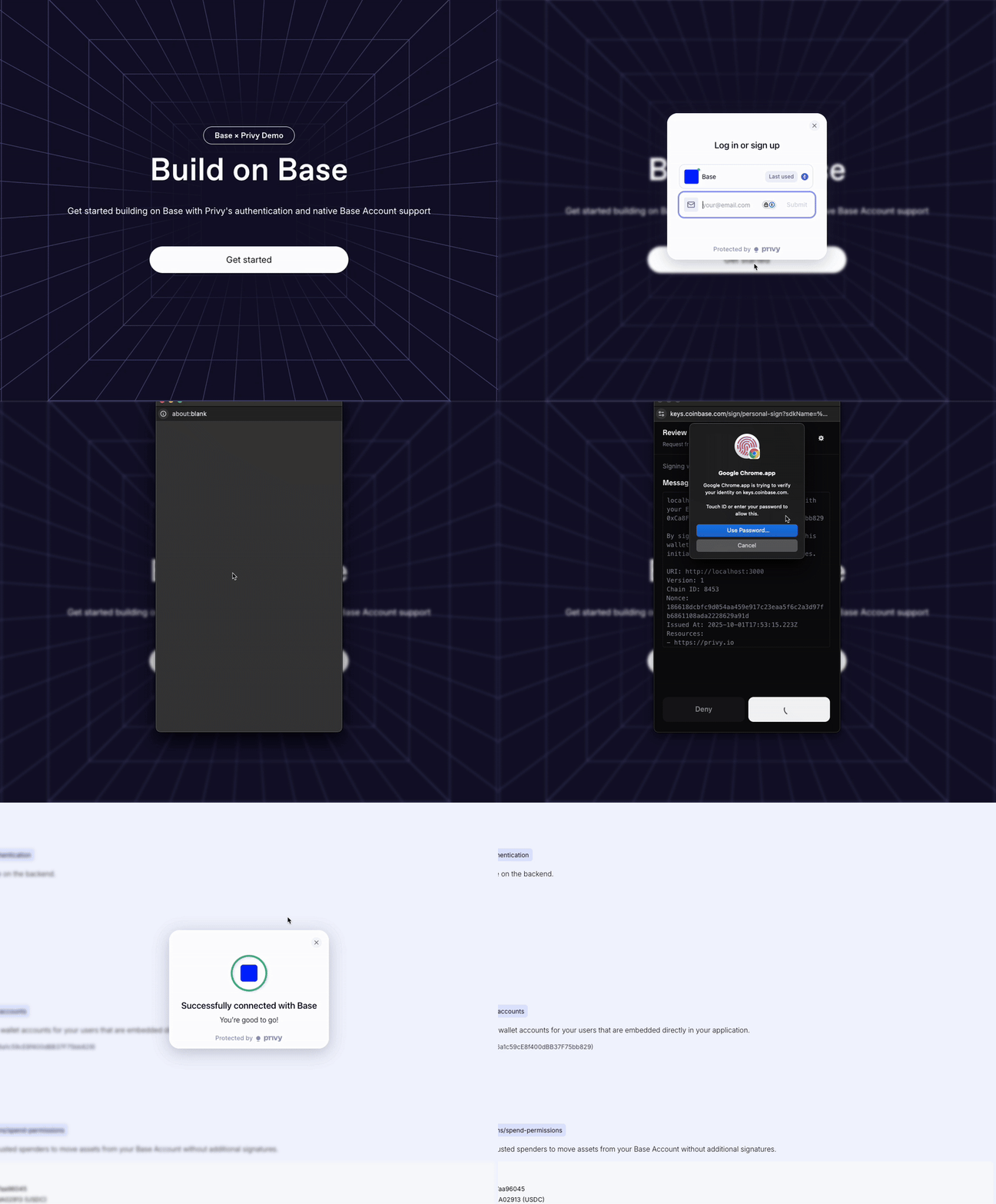
Custom Authentication
For additional security or custom authentication requirements, you can implement backend verification using Sign-In with Ethereum (SIWE) with the Base Account SDK.Setup
Follow the Setup guide to set up Privy with Base Account.Frontend Component (Sign In With Base)
We use theSignInWithBaseButton component from the @base-org/account-ui/react package to make sure
we are following the brand guidelines.
Using the Authentication Component
Add the Authentication component to your page to enable Sign In with Base functionality:Backend Implementation
Production Considerations
For production deployments, enhance the backend implementation with:- Persistent storage: Use Redis or a database instead of in-memory storage
- Rate limiting: Implement request rate limiting for nonce generation
- Session management: Create proper JWT tokens or session cookies
- Nonce expiration: Add timestamp-based nonce expiration