> ## Documentation Index
> Fetch the complete documentation index at: https://docs.base.org/llms.txt
> Use this file to discover all available pages before exploring further.
# Thirdweb
> Configure Thirdweb with Base Account for your React application
export const GithubRepoCard = ({title, githubUrl}) => {
return
;
};
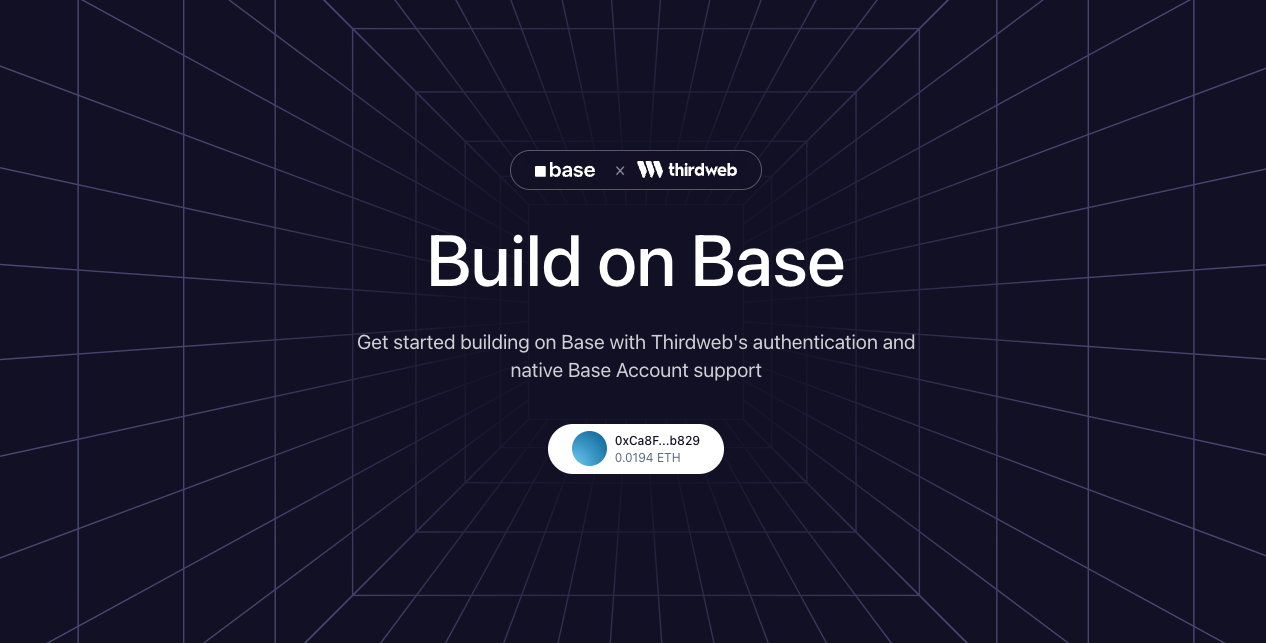
Learn how to set up Thirdweb with Base Account to enable seamless user authentication and wallet management.
## Overview
[Thirdweb](https://thirdweb.com/) provides a complete onchain application development framework with wallet connection, authentication, and smart contract interactions.
By integrating Thirdweb with Base Account,
you can leverage Thirdweb's `ConnectButton` component
while providing users with native Base Account wallet support.
### What you'll achieve
By the end of this guide, you will:
* Set up Thirdweb with Base Account support
* Have Base Account available as a wallet option alongside email authentication
* Use Thirdweb's `ConnectButton` for a polished wallet connection experience
You can jump ahead and use the [Base Account Thirdweb Template](https://github.com/base/demos/tree/main/base-account/base-account-thirdweb-template) to get started.
## Installation
### 1. Create a new Next.js project
```bash npm theme={null}
npx create-next-app@latest base-account-thirdweb
cd base-account-thirdweb
```
```bash yarn theme={null}
yarn create next-app base-account-thirdweb
cd base-account-thirdweb
```
```bash pnpm theme={null}
pnpm create next-app base-account-thirdweb
cd base-account-thirdweb
```
```bash bun theme={null}
bun create next-app base-account-thirdweb
cd base-account-thirdweb
```
### 2. Install the dependencies
Install the Thirdweb SDK (version 5.118.0 or higher is required for Base Account support):
```bash npm theme={null}
npm install thirdweb@^5.118.0
```
```bash yarn theme={null}
yarn add thirdweb@^5.118.0
```
```bash pnpm theme={null}
pnpm add thirdweb@^5.118.0
```
```bash bun theme={null}
bun add thirdweb@^5.118.0
```
## Configuration
### 1. Set up Environment Variables
Create a `.env.local` file in your project root:
```bash theme={null}
NEXT_PUBLIC_THIRDWEB_CLIENT_ID=your-client-id
```
Get your Client ID from the [Thirdweb Dashboard](https://thirdweb.com/dashboard).
### 2. Create the Thirdweb Client
Create a client configuration file:
```ts src/lib/client.ts theme={null}
import { createThirdwebClient } from "thirdweb";
export const client = createThirdwebClient({
clientId: process.env.NEXT_PUBLIC_THIRDWEB_CLIENT_ID!,
});
```
### 3. Configure ThirdwebProvider
Create a providers wrapper component and update your layout:
```tsx Create Provider (src/providers/providers.tsx) expandable theme={null}
"use client";
import { ThirdwebProvider } from "thirdweb/react";
export default function Providers({ children }: { children: React.ReactNode }) {
return {children};
}
```
```tsx Add to Layout (src/app/layout.tsx) expandable theme={null}
import type { Metadata } from "next";
import "./globals.css";
import Providers from "@/providers/providers";
export const metadata: Metadata = {
title: "Base Account Thirdweb Template",
description: "Build on Base with Thirdweb's authentication and Base Account support",
};
export default function RootLayout({
children,
}: Readonly<{
children: React.ReactNode;
}>) {
return (
{children}
);
}
```
## Usage
Use Thirdweb's `ConnectButton` with your wallet configuration:
```tsx src/app/page.tsx expandable theme={null}
"use client";
import dynamic from "next/dynamic";
import { lightTheme } from "thirdweb/react";
import { inAppWallet, createWallet } from "thirdweb/wallets";
import { base } from "thirdweb/chains";
import { client } from "@/lib/client";
// Dynamic import to avoid SSR hydration issues
const ConnectButton = dynamic(
() => import("thirdweb/react").then((mod) => mod.ConnectButton),
{ ssr: false }
);
// Configure wallets
const emailWallet = inAppWallet({
auth: {
options: ["email"],
},
});
const baseAccountWallet = createWallet("org.base.account");
const wallets = [emailWallet, baseAccountWallet];
const recommendedWallets = [baseAccountWallet];
// Custom theme (optional)
const customTheme = lightTheme({
colors: {
primaryButtonBg: "#0052FF",
primaryButtonText: "#FFFFFF",
accentText: "#0052FF",
},
});
export default function Home() {
return (
);
}
```
### 3. Run the project locally
You're done! Run the project locally:
```bash npm theme={null}
npm run dev
```
```bash yarn theme={null}
yarn dev
```
```bash pnpm theme={null}
pnpm dev
```
```bash bun theme={null}
bun dev
```
You should see a page with a "Sign In" button. Clicking it will open the Thirdweb connect modal with Base Account and email authentication options.
## Customization
### Wallet Options
You can customize which wallets appear in the connect modal:
```tsx theme={null}
// Email only
const wallets = [inAppWallet({ auth: { options: ["email"] } })];
// Base Account only
const wallets = [createWallet("org.base.account")];
// Multiple options including social logins
const wallets = [
inAppWallet({
auth: {
options: ["email", "google", "apple", "discord"],
},
}),
createWallet("org.base.account"),
];
```
### Theme
Customize the appearance using `lightTheme` or `darkTheme`:
```tsx theme={null}
import { lightTheme, darkTheme } from "thirdweb/react";
// Light theme with custom colors
const theme = lightTheme({
colors: {
primaryButtonBg: "#0052FF",
accentText: "#0052FF",
modalBg: "#FFFFFF",
},
});
// Or use dark theme
const theme = darkTheme();
```
### Chain
Change the default chain by importing from `thirdweb/chains`:
```tsx theme={null}
import { base, baseSepolia, mainnet } from "thirdweb/chains";
```
## Resources
* [Thirdweb Documentation](https://portal.thirdweb.com)
* [Thirdweb ConnectButton Reference](https://portal.thirdweb.com/references/typescript/v5/ConnectButton)
* [Next.js Documentation](https://nextjs.org/docs)
* [Base Support](https://discord.com/invite/buildonbase)