> ## Documentation Index
> Fetch the complete documentation index at: https://docs.base.org/llms.txt
> Use this file to discover all available pages before exploring further.
# RainbowKit
> Integrate Base Account with RainbowKit
export const GithubRepoCard = ({title, githubUrl}) => {
return
;
};
## Overview
[RainbowKit](https://www.rainbowkit.com/) is a React library that makes it easy to add wallet sign-in to your onchain application. It's designed to work out-of-the-box and includes native support for Base Account.
By integrating RainbowKit with Base Account, you can provide your users with a seamless onboarding experience while maintaining access to the full Base Account feature set.
### What you'll achieve
By the end of this guide, you will:
* Set up RainbowKit with Base Account support
* Learn how to use both `ConnectButton` and `WalletButton` components
* Configure your app to prioritize Base Account as the primary wallet option
* Obtain and configure a Reown project ID (required for RainbowKit projects)
You can jump ahead and use the Base Account RainbowKit Template to get started:
## Installation
After [creating a new Next.js project](https://nextjs.org/docs/app/getting-started/installation), install the required dependencies:
```bash npm theme={null}
npm install @rainbow-me/rainbowkit wagmi viem @tanstack/react-query
```
```bash pnpm theme={null}
pnpm add @rainbow-me/rainbowkit wagmi viem @tanstack/react-query
```
```bash yarn theme={null}
yarn add @rainbow-me/rainbowkit wagmi viem @tanstack/react-query
```
```bash bun theme={null}
bun add @rainbow-me/rainbowkit wagmi viem @tanstack/react-query
```
**Access the latest version of the Base Account SDK (Recommended)**
It is {HIGHLY RECOMMENDED} to access the latest version of the Base Account SDK in order to get the latest features and bug fixes.
To do this, you can use the following command to override it:
```bash npm theme={null}
npm pkg set overrides.@base-org/account="latest"
# OR manually add to package.json:
# "overrides": { "@base-org/account": "latest" }
```
```bash pnpm theme={null}
# pnpm requires manual addition to package.json:
# "pnpm": { "overrides": { "@base-org/account": "latest" } }
```
```bash yarn theme={null}
# yarn uses resolutions - add manually to package.json:
# "resolutions": { "@base-org/account": "latest" }
```
```bash bun theme={null}
# bun supports overrides - add manually to package.json:
# "overrides": { "@base-org/account": "latest" }
```
Or you can use a specific version by adding the version to the overrides:
```bash npm theme={null}
npm pkg set overrides.@base-org/account="2.2.0"
# OR manually add to package.json:
# "overrides": { "@base-org/account": "2.2.0" }
```
```bash pnpm theme={null}
# pnpm requires manual addition to package.json:
# "pnpm": { "overrides": { "@base-org/account": "2.2.0" } }
```
```bash yarn theme={null}
# yarn uses resolutions - add manually to package.json:
# "resolutions": { "@base-org/account": "2.2.0" }
```
```bash bun theme={null}
# bun supports overrides - add manually to package.json:
# "overrides": { "@base-org/account": "2.2.0" }
```
Make sure to delete your `node_modules` and `package-lock.json` and run a new install to ensure the overrides are applied.
## Get Your Reown Project ID
Before you can use RainbowKit with Base Account, you need to obtain a project ID from Reown Cloud.
1. Visit [Reown Cloud Dashboard](https://dashboard.reown.com/)
2. Sign up for a free account or log in if you already have one
3. Create a new project and copy the project ID.
## Configuration
### 1. Configure Wagmi with RainbowKit
Create a `wagmi.ts` file in your `src` directory to configure your blockchain connections and wallet options:
```tsx src/wagmi.ts theme={null}
import { getDefaultConfig } from '@rainbow-me/rainbowkit';
import {
base,
mainnet
} from 'wagmi/chains';
export const config = getDefaultConfig({
appName: 'My Base Account App',
projectId: 'YOUR_PROJECT_ID', // Replace with your Reown project ID
chains: [
mainnet,
base
],
ssr: true, // Enable server-side rendering support
});
```
**Replace YOUR\_PROJECT\_ID**
Make sure to replace `'YOUR_PROJECT_ID'` with the actual project ID you obtained from [Reown Cloud](https://dashboard.reown.com/).
For production applications, use environment variables:
```typescript theme={null}
projectId: process.env.NEXT_PUBLIC_REOWN_PROJECT_ID!,
```
And add to your `.env.local`:
```bash theme={null}
NEXT_PUBLIC_REOWN_PROJECT_ID=your_project_id_here
```
### 2. Set up RainbowKit Provider
Wrap your application with the necessary providers in your `_app.tsx`:
```tsx src/pages/_app.tsx theme={null}
import '../styles/global.css';
import '@rainbow-me/rainbowkit/styles.css';
import type { AppProps } from 'next/app';
import { QueryClient, QueryClientProvider } from '@tanstack/react-query';
import { WagmiProvider } from 'wagmi';
import { RainbowKitProvider } from '@rainbow-me/rainbowkit';
import { config } from '../wagmi';
const queryClient = new QueryClient();
function MyApp({ Component, pageProps }: AppProps) {
return (
);
}
export default MyApp;
```
## Usage
RainbowKit provides two main components for wallet connections: `ConnectButton` and `WalletButton`. Both components support Base Account out of the box.
### Option 1: Using ConnectButton
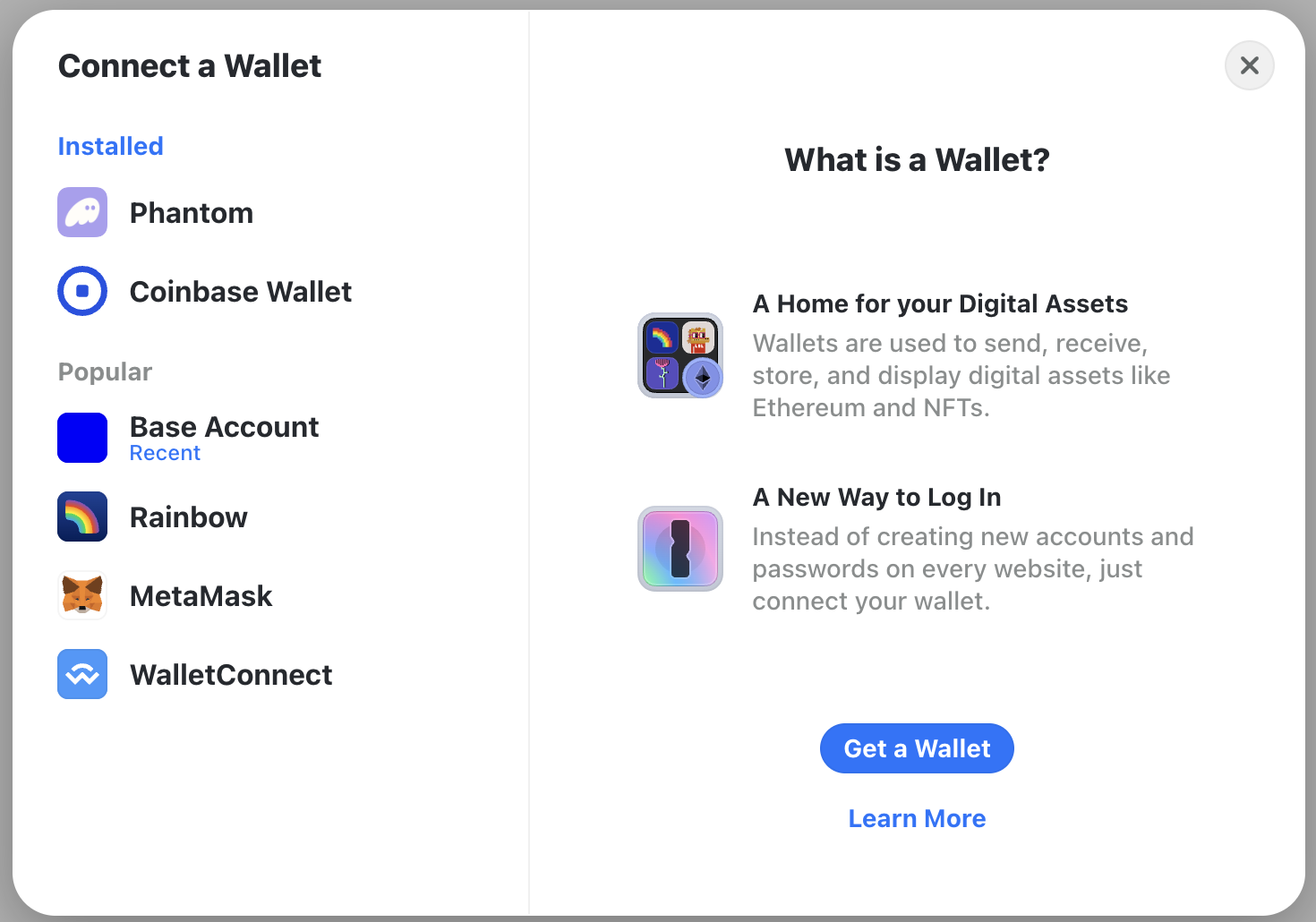
The `ConnectButton` is RainbowKit's all-in-one wallet connection component. It displays the wallet connection modal with all available wallets, including Base Account.
```tsx src/pages/index.tsx theme={null}
import { ConnectButton } from '@rainbow-me/rainbowkit';
import type { NextPage } from 'next';
const Home: NextPage = () => {
return (
);
};
export default Home;
```
When implemented, this is what it will look like:
### Option 2: Using WalletButton for Base Account
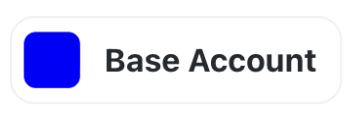
The `WalletButton` component provides a direct connection to a specific wallet. This is ideal when you want to highlight Base Account as the primary wallet option.
```tsx src/pages/index.tsx theme={null}
import { WalletButton } from '@rainbow-me/rainbowkit';
import type { NextPage } from 'next';
const Home: NextPage = () => {
return (
);
};
export default Home;
```
When implemented, this is what it will look like:
## Advanced Configuration
### Prioritize Base Account in Wallet List
To make Base Account appear first in the wallet connection modal, you can customize the wallet order:
```tsx src/wagmi.ts theme={null}
import { getDefaultConfig } from '@rainbow-me/rainbowkit';
import { base, mainnet, sepolia } from 'wagmi/chains';
export const config = getDefaultConfig({
appName: 'My Base Account App',
projectId: process.env.NEXT_PUBLIC_REOWN_PROJECT_ID!,
chains: [base, mainnet, sepolia],
ssr: true,
// Wallet configuration
wallets: [
{
groupName: 'Recommended',
wallets: ['baseAccount'], // Base Account appears first
},
],
});
```
### Customize RainbowKit Theme
RainbowKit supports extensive theming options:
```tsx src/pages/_app.tsx theme={null}
import { RainbowKitProvider, darkTheme } from '@rainbow-me/rainbowkit';
function MyApp({ Component, pageProps }: AppProps) {
return (
);
}
```
### Access Wallet Connection State
Use wagmi hooks to access wallet connection state throughout your app:
```tsx theme={null}
import { useAccount, useDisconnect, useEnsName } from 'wagmi';
function Profile() {
const { address, isConnected } = useAccount();
const { disconnect } = useDisconnect();
const { data: ensName } = useEnsName({ address });
if (!isConnected) return
Not connected
;
return (
Connected to {ensName ?? address}
);
}
```
### Switch Networks Programmatically
Allow users to switch between different chains:
```tsx theme={null}
import { useSwitchChain } from 'wagmi';
import { base, mainnet } from 'wagmi/chains';
function NetworkSwitcher() {
const { switchChain } = useSwitchChain();
return (
);
}
```
## Best Practices
Store sensitive configuration like your Reown project ID in environment variables, not in your code:
```bash .env.local theme={null}
NEXT_PUBLIC_REOWN_PROJECT_ID=your_project_id_here
```
Always set `ssr: true` in your wagmi config for Next.js applications to avoid hydration issues:
```typescript theme={null}
export const config = getDefaultConfig({
// ...
ssr: true,
});
```
Put Base as the first chain in your configuration to make it the default:
```typescript theme={null}
chains: [base, mainnet, ...otherChains]
```
Regularly update RainbowKit, wagmi, and viem to get the latest Base Account features and security patches:
```bash theme={null}
npm update @rainbow-me/rainbowkit wagmi viem
```
## Next Steps
Now that you have RainbowKit configured with Base Account, you can:
Learn more about Base Account and its features
Learn more about RainbowKit and its features
Learn more about wagmi and its features
Join the Base community and get help from other developers